Gazetyping made easier.
A round keyboard
for typing with the cursor
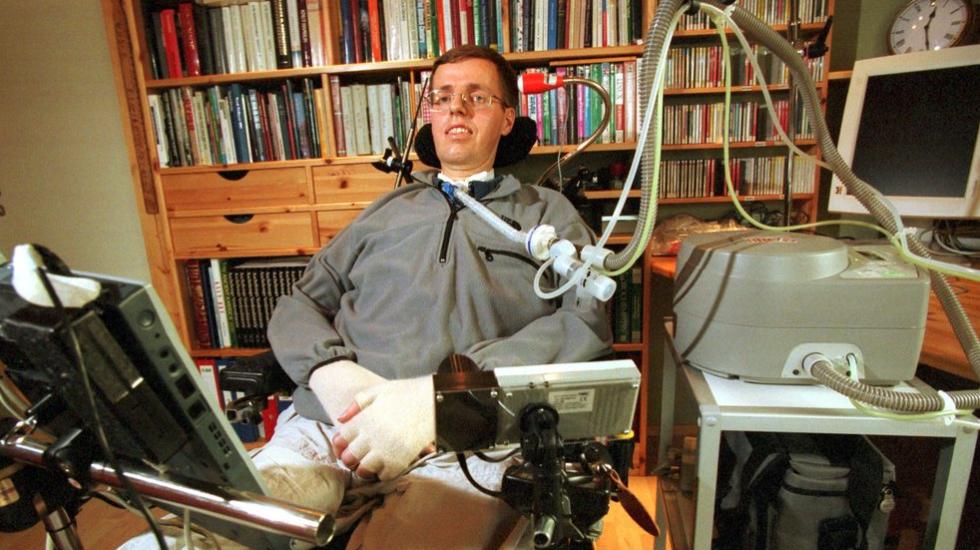
Per Villand lived with ALS and communicated through a computer controlled by his eye movements. Photo: Sigmund Krøvel-Velle / Hallingdølen, CC BY-SA 4.0.

Why round?
The common on-screen keyboard is a copy of the physical keyboard — a layout created for typing with 8–10 fingers. With a cursor you have one pointer, and speed is decided by how far it has to travel between keys. A circle is the natural shape for that: every key sits close to the center, so the average distance per selection is as short as it gets.
The full alphabet stays on the outer ring, always in the same position. The inner ring shows only the letters likely to come next, large and near the center. The center is a rest zone — a dead area where the cursor can park without triggering anything.
None of this is settled. The shape is only the starting point — this keyboard stays open to improvements and to entirely new ways of doing it, and the best ones have always come from the people using it.
Less time and effort, sentence after sentence
- Prediction that learns you. Suggestions adapt to your vocabulary and habits. One selection often replaces five or six keystrokes. Feed it your own texts; export a backup anytime.
- Your voice, automatic. Close a sentence with a period and it is spoken aloud on the spot. A chime tells the other person "wait, I'm typing" so they stay in the conversation.
- Conversation mode. Your words go full-screen, large, facing the person in front of you.
- Edit without starting over. Walk the cursor word by word and fix a mistake in the middle of a paragraph — nothing after it is lost.
- Everyday phrases, ready. The things you say all the time, one selection away.
- Built for imprecise pointing. A rest zone in the center and an automatic pause after each selection, so a parked cursor never fires twice.
It adapts to your setup
Everything the app needs from your equipment is cursor movement. If your device only moves the pointer, turn on dwell selection and set the dwell time. If it already clicks by itself (like Tobii Windows Control), keep dwell off so there are no two timers stacked. Wheel size, text size, letter order, contrast, colors, voice and speed are all adjustable:
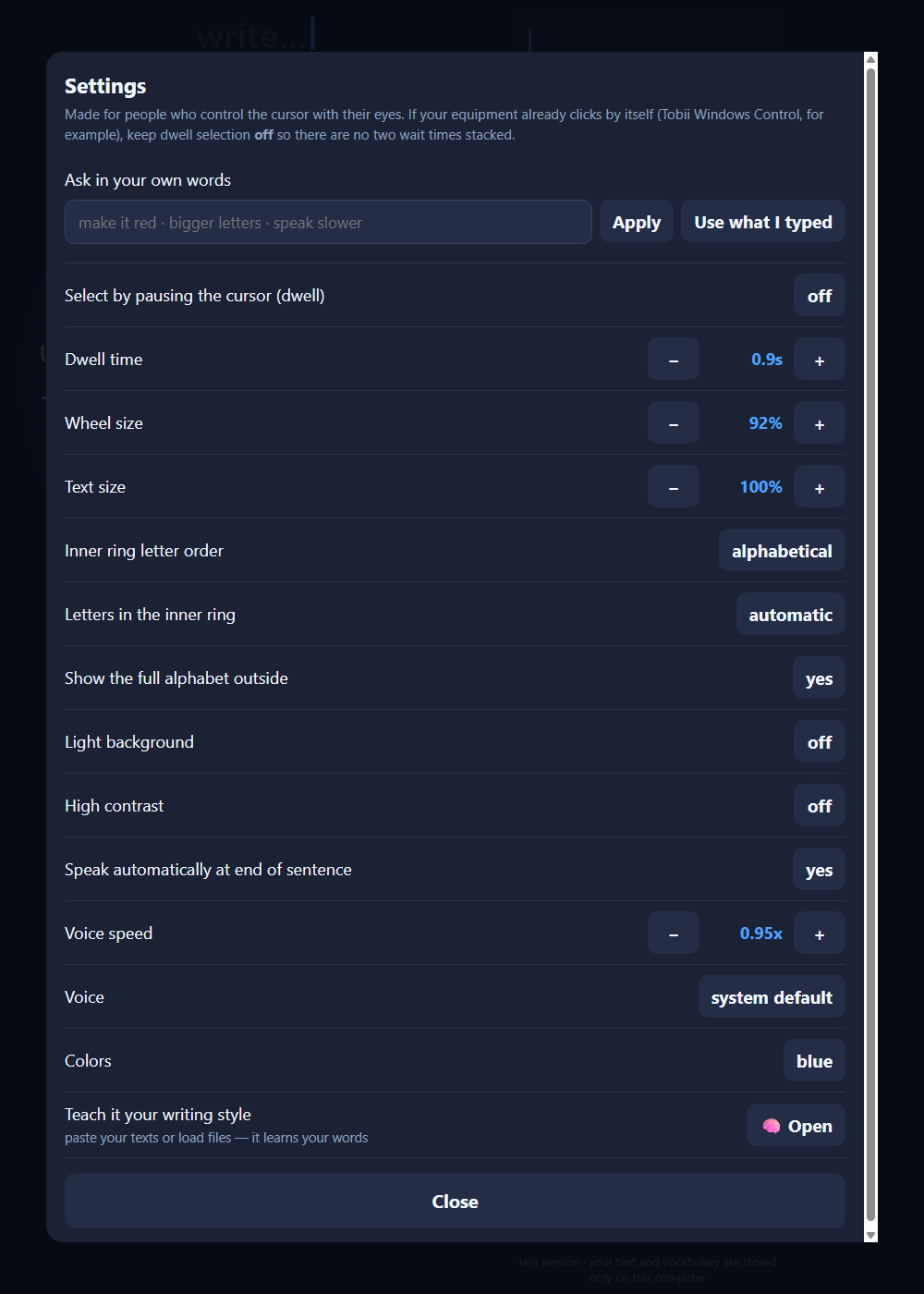
The settings screen.
Who it is for
People with ALS, cerebral palsy, high spinal cord injury, brainstem stroke, advanced multiple sclerosis or muscular dystrophy — any situation where speech is gone and hands don't reach the keys.
Also for people temporarily without a voice: intubated or tracheostomized ICU patients can usually move one finger on a screen. This runs on any tablet the hospital already has.
The keyboard comes in English and Portuguese — same version, same features.
Privacy
Nothing you write leaves your computer. Learned vocabulary, saved phrases and settings are stored in your own browser, and you can export a backup file at any time. No text is sent to any server.
Liked the idea?
GazeWheel is a Free School project. Donations fund early childhood education — scholarships — and more projects like this one. Tell us how and how much you would like to help, and we take it from there.
I would like to support